
Radio

Live radio, next to your own library.

Thousands of stations from the community radio directory, in the same app as your files — same player, same queue, same widgets.

Directory
radio-browser.info
Browse by
Country, language, tag, popularity
Favorites
Grouped, and readable offline
Sleep timer
Works on radio too
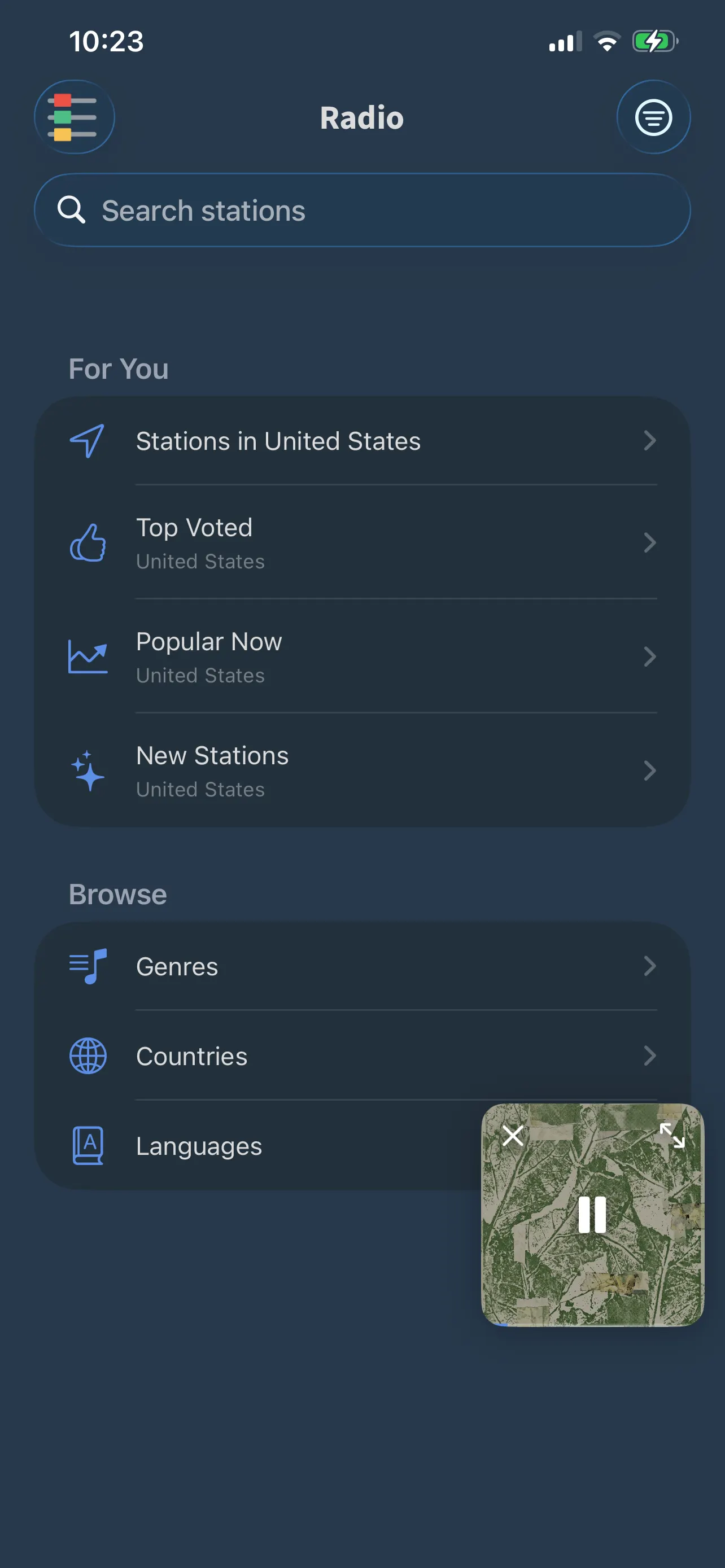
FoxFM’s Radio home: stations near you, Top Voted, Popular Now, New Stations, and browsing by genre, country and language
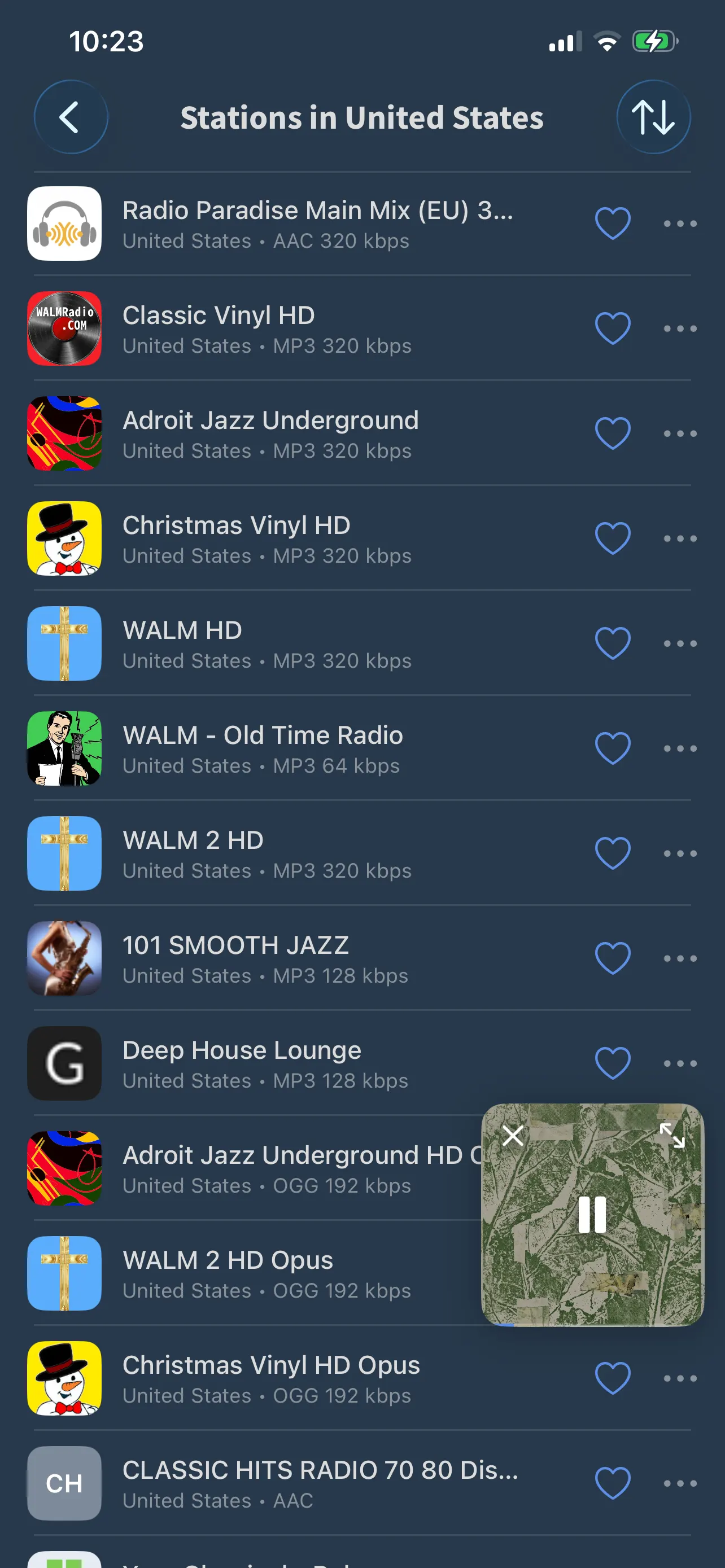
A list of radio stations with logos, country, codec and bitrate

Find a station four ways

  • In your country, top voted, popular now, and newly added
  • Browse by tag, by country or by language — the thirty biggest of each, then search for the rest
  • Sort a list by popularity, votes, trend or newest
  • Every station sheet shows its tags, country, language, codec, bitrate and votes before you press play

Favorites that survive the tunnel

  • Save a station and group your favorites by country, language or tag — or leave them in one list
  • The favorites list is kept on the device, so it still draws when you have no signal
  • A Recently Listened list remembers where you have been
  • Vote for a station, copy its stream address, share it, or open its homepage

What is playing, while it plays

  • Stations that broadcast track information show the song above the station name
  • The Lock Screen shows the station logo, and next and previous move between stations
  • A live stream has no scrubber and no 15-second skips — pressing stop pauses the station rather than dropping it
  • The station keeps playing in the background and appears on your Home Screen widget with a LIVE flag

Questions

About radio

Where do the stations come from?

From radio-browser.info, the open community directory of internet radio. There is no account, and FoxFM has no station server of its own.

Does radio work offline?

No — a live stream needs a connection. Your saved favorites still open and read offline, so you can see your list, but playing a station needs the internet.

Can I see the song that is playing?

Yes, when the station sends it. Stations that broadcast track information have the song shown above the station name; the rest show the station name alone.

Does the sleep timer work with radio?

Yes. The sleep timer stops radio the same way it stops a track, at 15, 30, 45 or 60 minutes, or at a time you set.

Get FoxFM for iPhone and iPad.

Free on the App Store · iOS 16 or later