
Offline video & music player · iPhone and iPad
Play everything.
Even offline.
FoxFM plays your videos and music without an internet connection. Bring your files in once, then play, organize and keep them on your device — with live radio, a visualizer and Home Screen widgets built in.
- App Store
- 4.4 ★ rating
- Since
- 2018
- Runs on
- iPhone & iPad · iOS 16 or later
- Languages
- 23
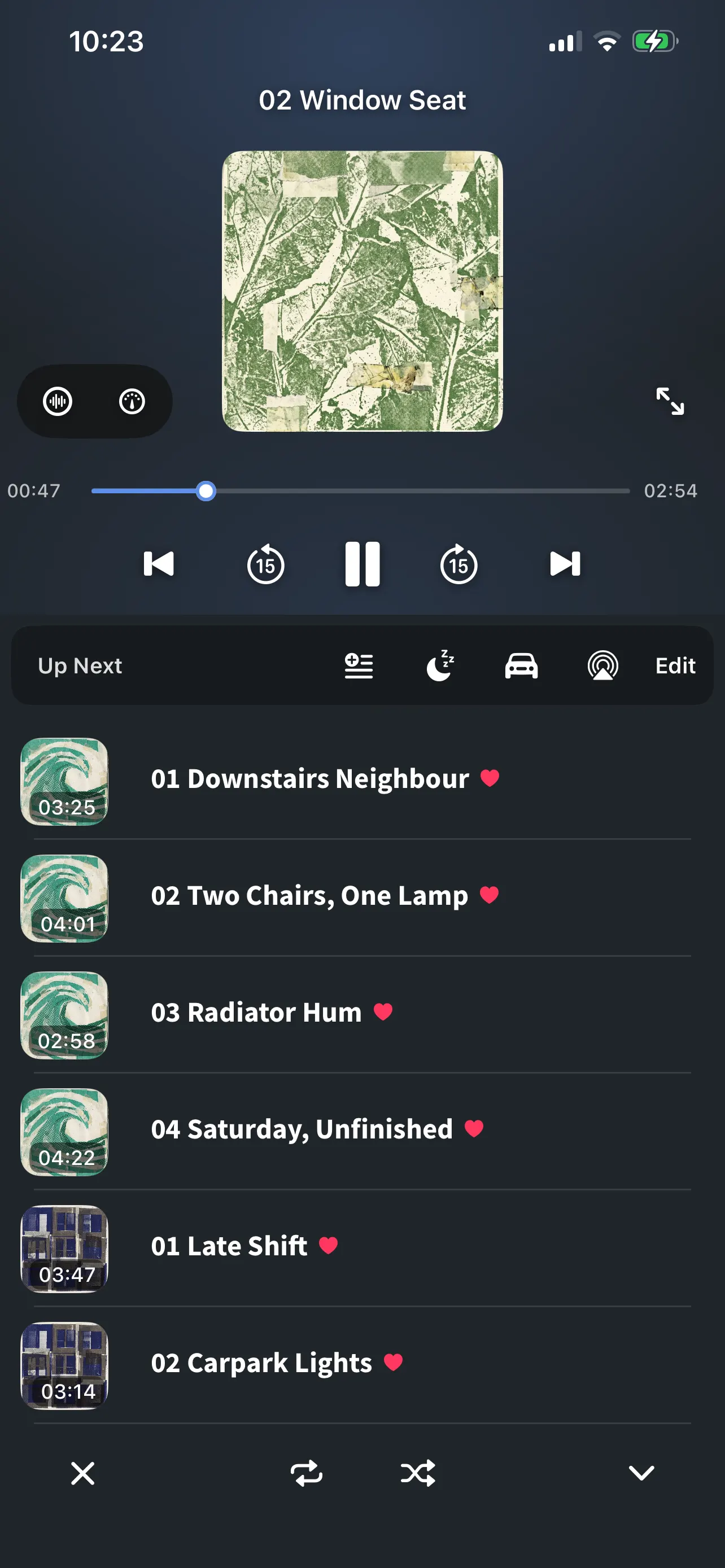
Highlights
- Live radio Thousands of stations, built in
- Visualizer Twelve looks, drawn from the sound
- Widgets Home Screen and Lock Screen
- Zoom into video Pinch, double-tap, pick an aspect ratio
Everything in the box
One app for your media — and the things around it.
A player, a radio, a file manager and a handful of tools that usually need separate apps. Everything below is in the free download.
All features- Player Background play, Picture in Picture, sleep timer, speed, car mode, AirPlay.
- Radio Thousands of live stations from around the world.
- Visualizer Twelve looks, drawn live from the sound.
- Widgets Now playing on your Home Screen and Lock Screen.
- File manager Folders; move, rename, sort and preview.
- Playlists Build, sort and reorder — video and audio in one list.
- Browser & downloads Save archives and documents straight into your library.
- Bring files in Wi-Fi transfer, the Files app, Photos, the share menu.
- Cloud & archives Dropbox, Google Drive and OneDrive through Files; ZIP and RAR kept.
- Extract audio Keep a video’s soundtrack as a music track.
- App Lock Passcode or Face ID, with a recovery key.
- Appearance Light and dark, color themes, step-by-step Guides.
Player
One player for all of it.
Video and audio in the same queue, with the controls you actually reach for.
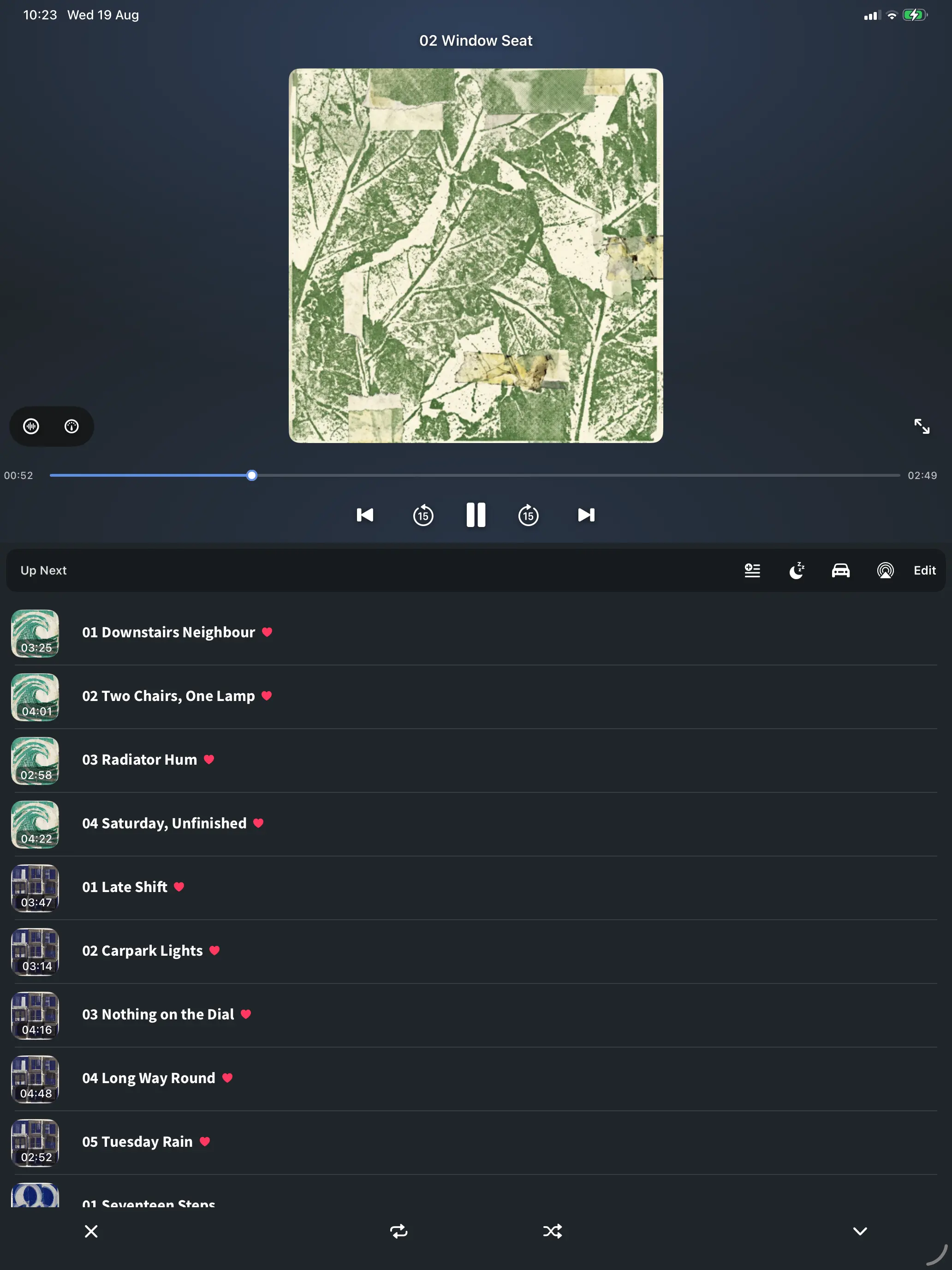
- Background playback — with the screen off, or while you use another app
- Picture in Picture, so a video keeps going while you do something else
- Sleep timer, playback speed, car mode and AirPlay
- Build playlists, sort them, reorder the queue however you like
- Picks up where you left off: the track and the position survive a restart
- Pinch to zoom in full screen; Fit, Fill, Stretch, 4:3, 16:9, 21:9 and Original, remembered separately for portrait and landscape
Radio
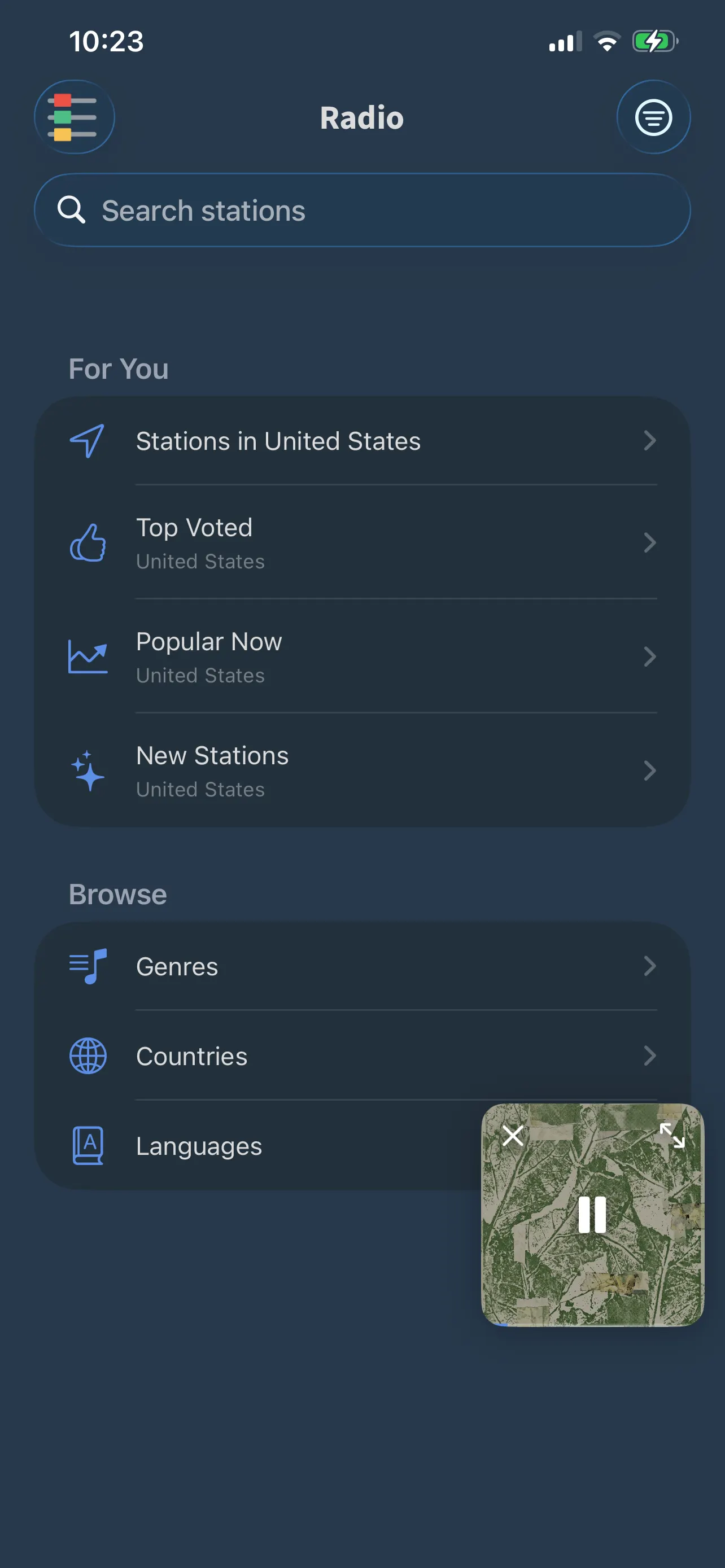
Live radio, built in.
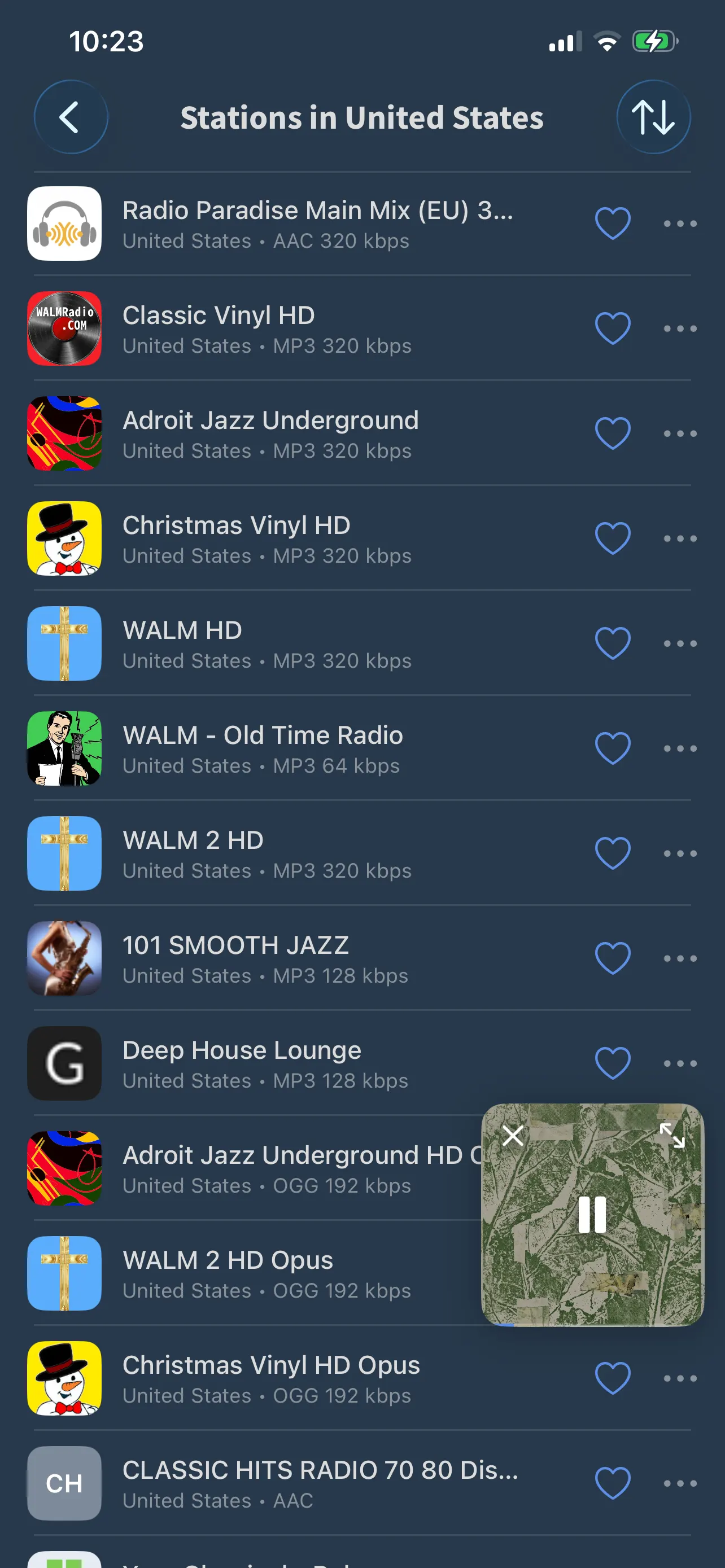
Thousands of stations from around the world, a tap away from your own library.
- Stations near you, top voted, popular now and new — or browse by genre, country and language
- Save favorites and see the name of the track that is playing
- Keeps playing in the background and on your widgets
Visualizer
Visual effects that move with the music.
Twelve looks across three families, every frame drawn from the sound that is playing.
-
Scope
Dots and orbits that chase the wave
-
Spectrum
Bars that rise with every band
-
Waveform
The wave itself, plain or mirrored
Colour
- Your accent
- Classic ramp
- Ember
- “Audio Only” keeps the effects for music, while videos keep their picture
- Tap the waveform button in the player to switch it on and pick a look
- Off by default — it never gets in the way of a video
Widgets
Now playing, on your Home Screen.
See what is playing and control the player without opening the app.
- Home Screen widgets in small, medium and large
- Lock Screen widgets are supported too
- Seven looks: six ready-made palettes and one that follows the app’s own color
- Widgets keep their own light or dark setting, whatever mode your phone is in
- Radio stations keep going on the widgets as well
Widgets need iOS 17 or later.
Library
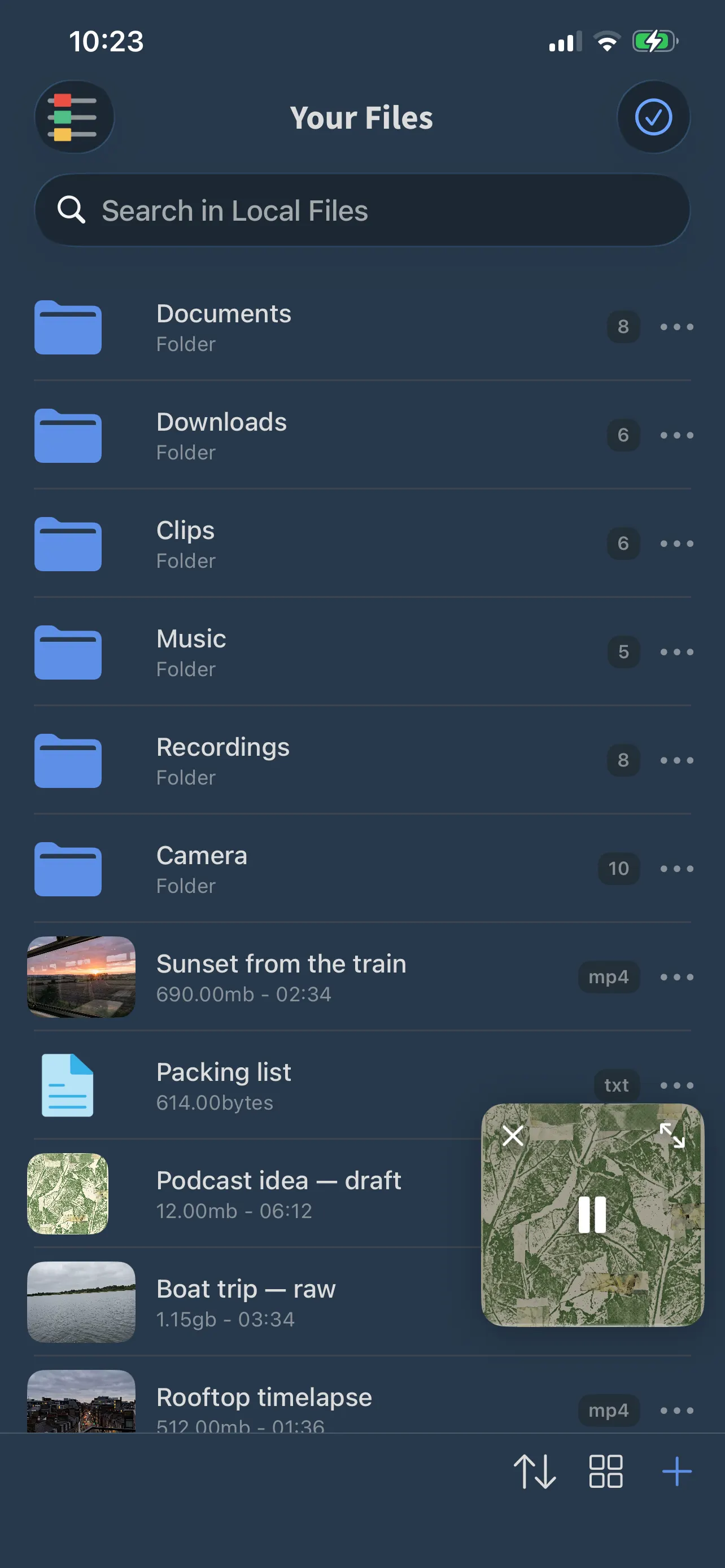
A file manager that plays.
Your files, your folders, your playlists — browse them, open anything inside, keep it all in order.
-
Files
Create folders; move, rename and sort. Preview documents and images inside the app, then share them or send them on to another app.
-
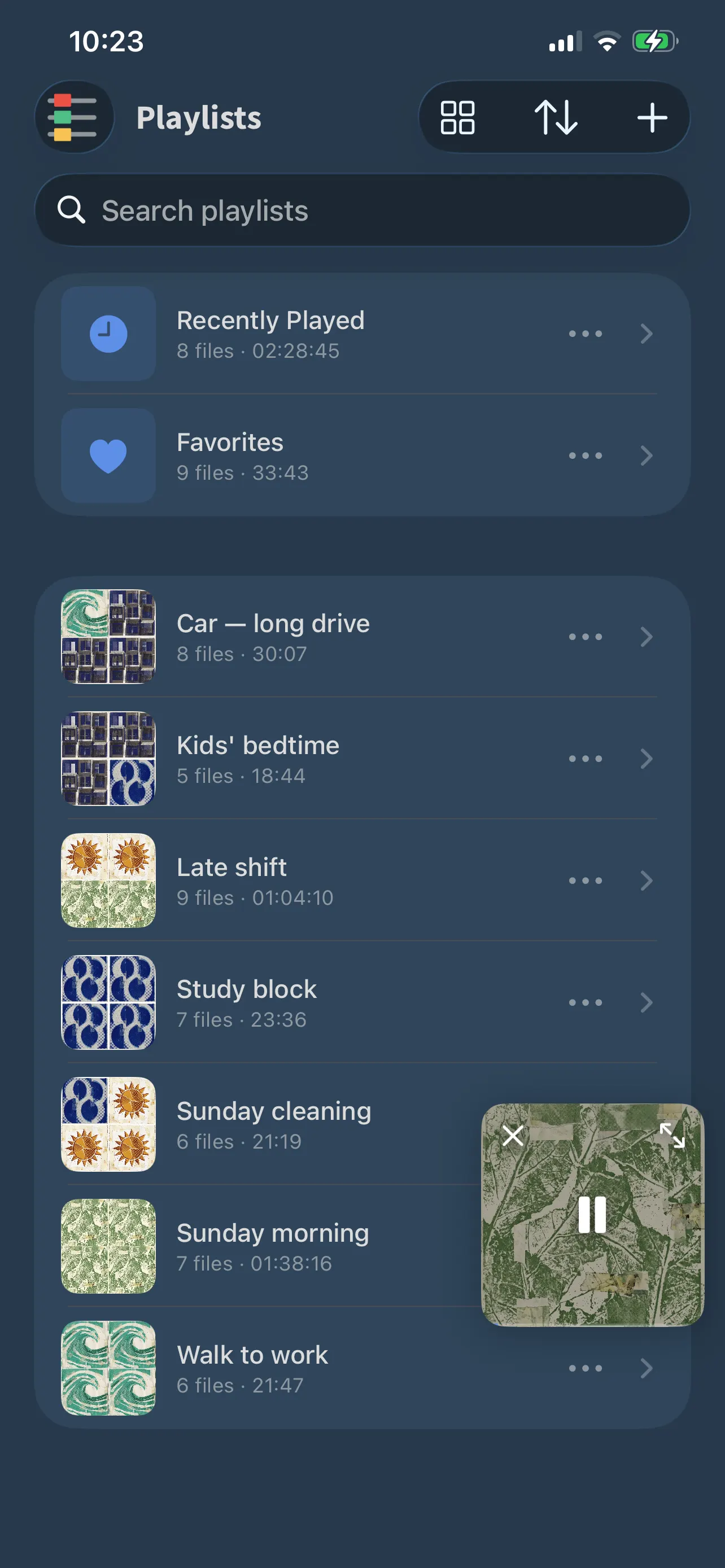
Playlists
Lists you order yourself, mixing video and audio. Favorites and Recently Played are kept for you.
-
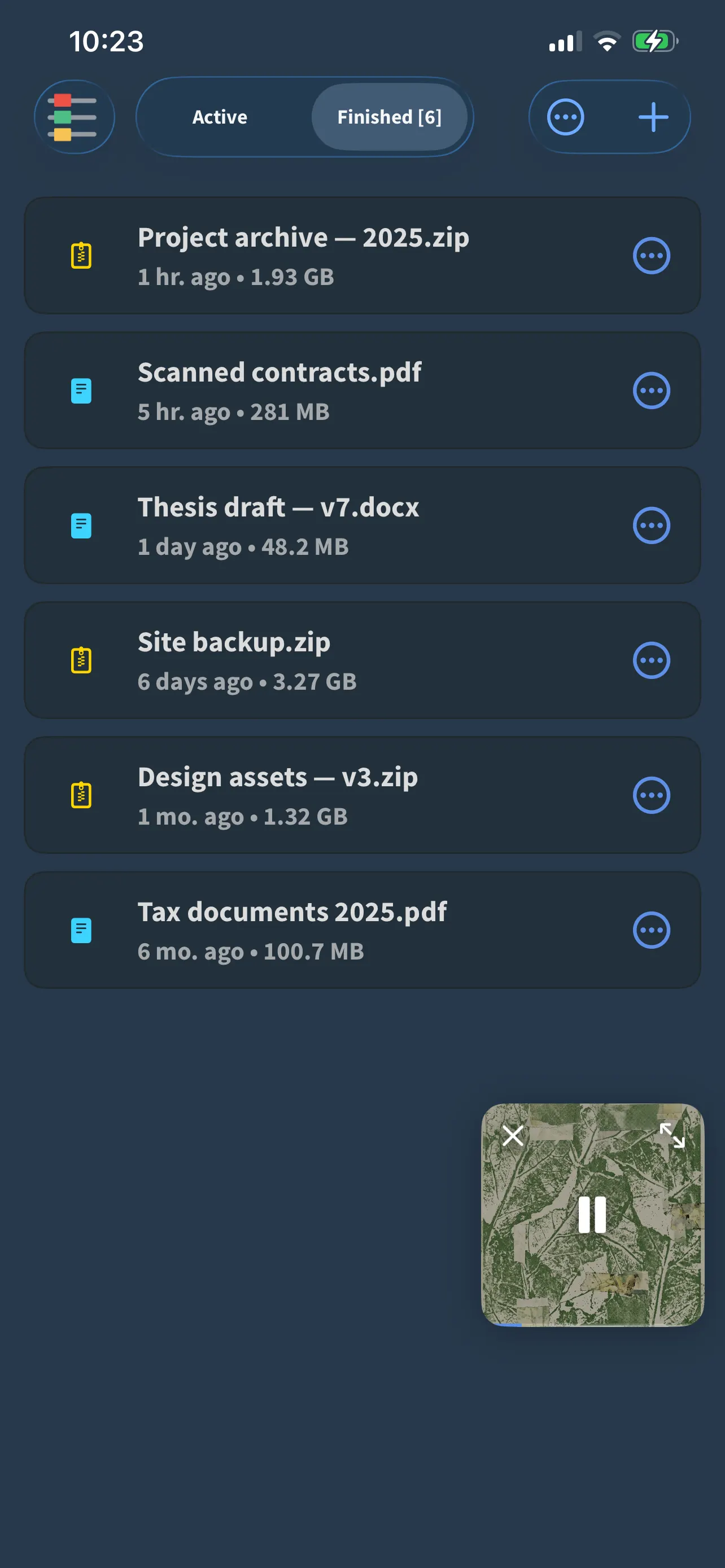
Browser & downloads
A built-in browser with tabs. Archives and documents you save land straight in your library — any file, any size.
-
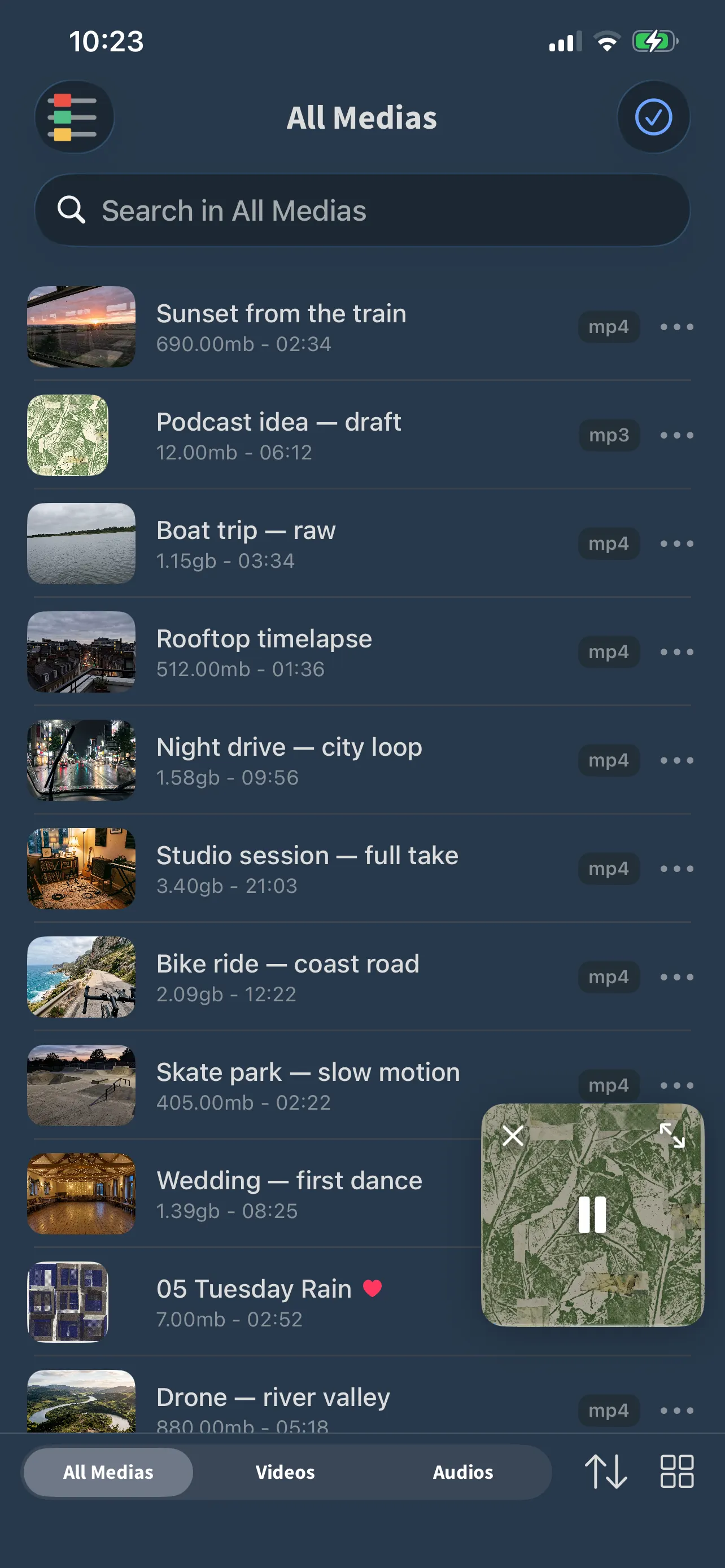
Cloud & archives
Reach Dropbox, Google Drive and OneDrive through the Files app and bring files into FoxFM. Keep ZIP and RAR archives and send them on to an app that opens them.
Extract audio
Pull the soundtrack out of a video and keep it as a music track — one tap.
Bring your files in
Four ways in. No cable.
However your files arrive, they end up in the same library.
-
Wi-Fi File Transfer
Open the address FoxFM shows you in a browser on any computer on the same network, and drop files in.
-
The Files app
Import from iCloud Drive, Dropbox, Google Drive, OneDrive or anything else that appears in Files.
-
Photos
Take photos and videos from your library — and send them back when you are done.
-
The share menu
Share straight into FoxFM from any other app.
Privacy
Your files stay on your device.
FoxFM has no server that stores your files, and no account you have to create.
Read the privacy policy- Lock the app with a passcode or Face ID
- A recovery key means a forgotten passcode never locks you out
- Files live on your iPhone or iPad, under your control
- Purchases go through Apple; we never see payment details
Appearance
Light, dark and seven color themes.
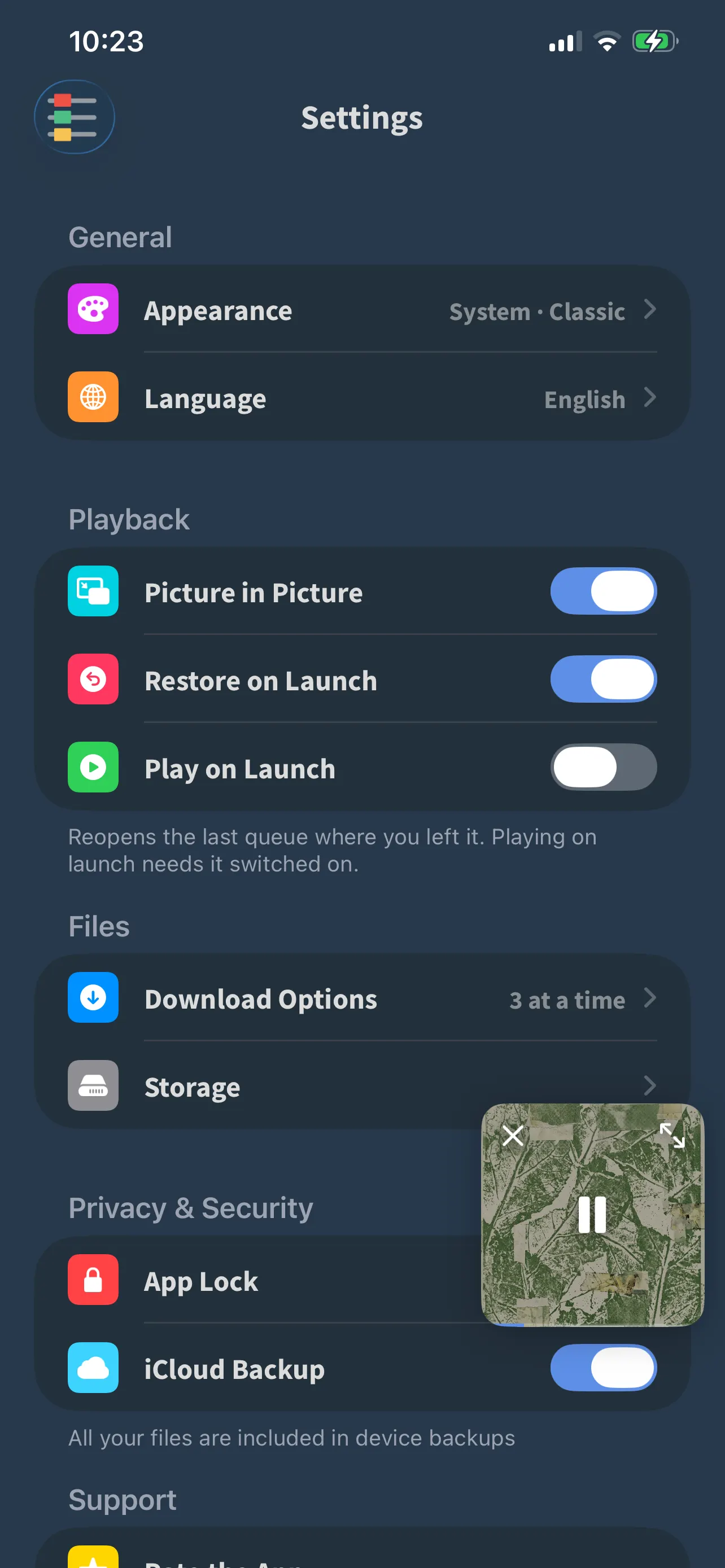
Make it look like yours — and learn the features step by step in Guides.
- Light and dark mode, or follow the system
- Seven color themes that carry into the widgets
- Guides in Sources walk you through sharing into FoxFM, setting up widgets and finding the visualizer
Formats
What it opens.
Video
MP4M4VMOVMKVWEBMAVIFLVWMVMPG3GP
Audio
MP3M4AAACFLACWAVAIFFALACOGGOPUSWMA
Playlists
M3UM3U8PLS
Documents and images open in the system preview.
iPhone and iPad
Built for both.
The same app on iPhone and iPad, with a layout that makes use of the larger screen.
In your language — 23 of them
EnglishTürkçeDeutschFrançaisEspañolPortuguêsItalianoNederlandsPolskiMagyarRomânăالعربيةکوردیहिन्दीবাংলাไทยTiếng ViệtBahasa IndonesiaBahasa Melayu日本語
Each one written natively rather than run through a translator, so the app reads like it was made where you are.
Questions
Before you download.
Does FoxFM work without an internet connection?
Yes. Once a file is on your device, playback, playlists, the file manager and App Lock all work offline. Radio is the one feature that needs a connection, because it streams live.
Which video and audio formats does it play?
Video: MP4, M4V, MOV, MKV, WEBM, AVI, FLV, WMV, MPG and 3GP. Audio: MP3, M4A, AAC, FLAC, WAV, AIFF, ALAC, OGG, OPUS and WMA. Playlists: M3U, M3U8 and PLS. Documents and images open in the system preview.
How do I get files into FoxFM?
Four ways: send them from a computer on the same Wi-Fi network with Wifi File Transfer; import from the Files app, which includes Dropbox, Google Drive and OneDrive; pick them from Photos; or share them straight into FoxFM from another app’s share menu.
How do I turn on the visualizer?
Play something, open the full-screen player and tap the waveform button in the controls under the artwork, then pick a look. With “Audio Only” — on by default — the effects run for music while videos keep their picture. There is a step-by-step guide in the app under Sources › Guides.
How do I add the widget?
Long-press your Home Screen, tap the + button, search for FoxFM and choose a size. Lock Screen widgets are added from the Lock Screen’s customize view. The Guides section in the app walks you through it step by step. Widgets need iOS 17 or later.
Are my files private?
Your files stay on your device; FoxFM has no server that stores them. You can lock the app with a passcode or Face ID, and a recovery key means a forgotten passcode never locks you out.
What does Premium add?
FoxFM is free to download and use. Premium removes ads, lifts the storage and daily sharing limits, and unlocks everything. It is a subscription managed through your Apple Account, and you can cancel at any time in Settings › Apple Account › Subscriptions.
Does it work on iPad?
Yes. FoxFM runs on iPhone and iPad with iOS 16 or later; the widgets need iOS 17.
Is it in my language?
The app ships in 23 languages, including English, Turkish, German, French, Spanish, Portuguese, Italian, Dutch, Polish, Hungarian, Romanian, Arabic, Kurdish, Hindi, Bengali, Thai, Vietnamese, Indonesian, Malay and Japanese. It follows your device language automatically.