Playlists

Lists you put in your own order.

Make a list, drag it into shape, play or shuffle it. Favorites and Recently Played are kept for you without being asked.
Covers
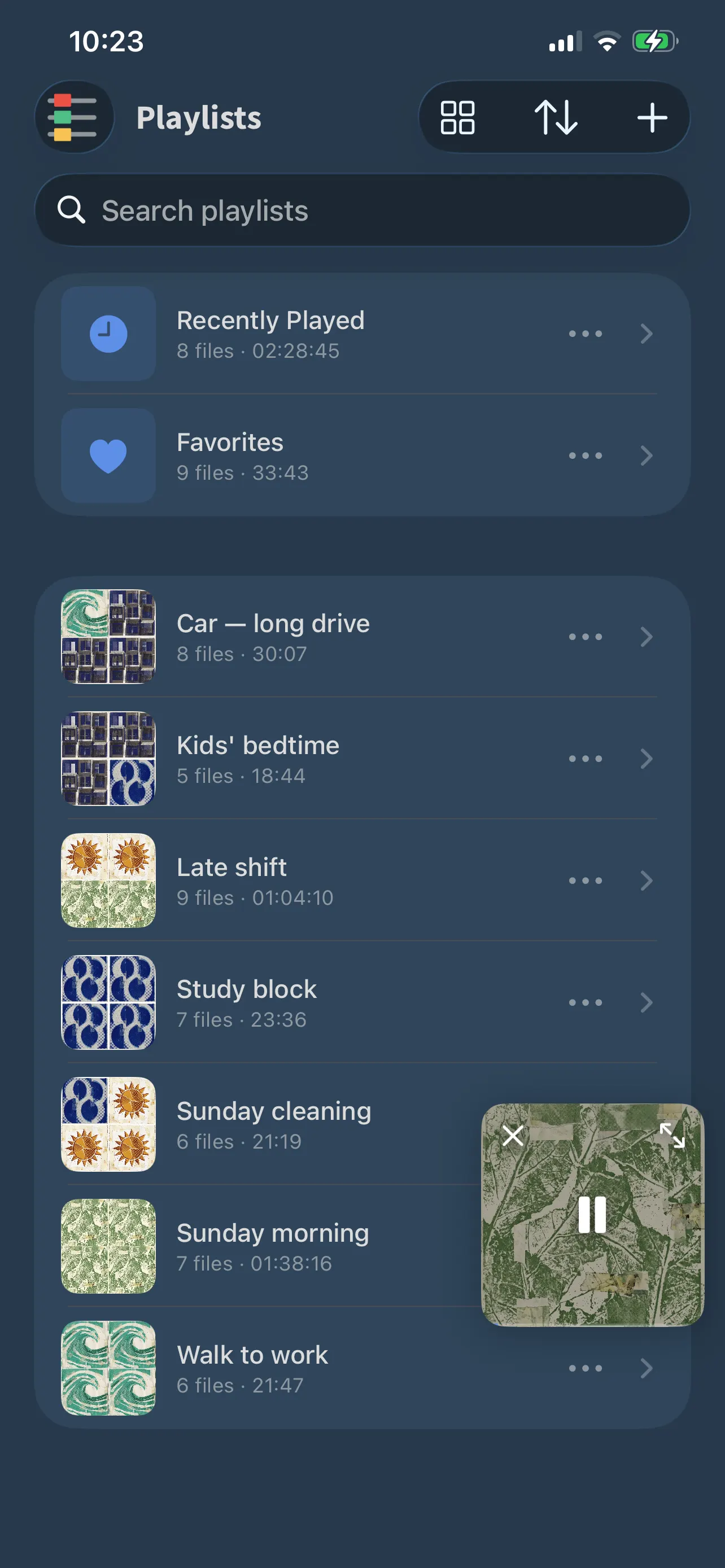
Collages of your own files
Reorder
Drag, with no edit mode
Sort by
Name, date or track count
Kept for you
Favorites, Recently Played
FoxFM’s playlists with collage covers, Recently Played and Favorites at the top
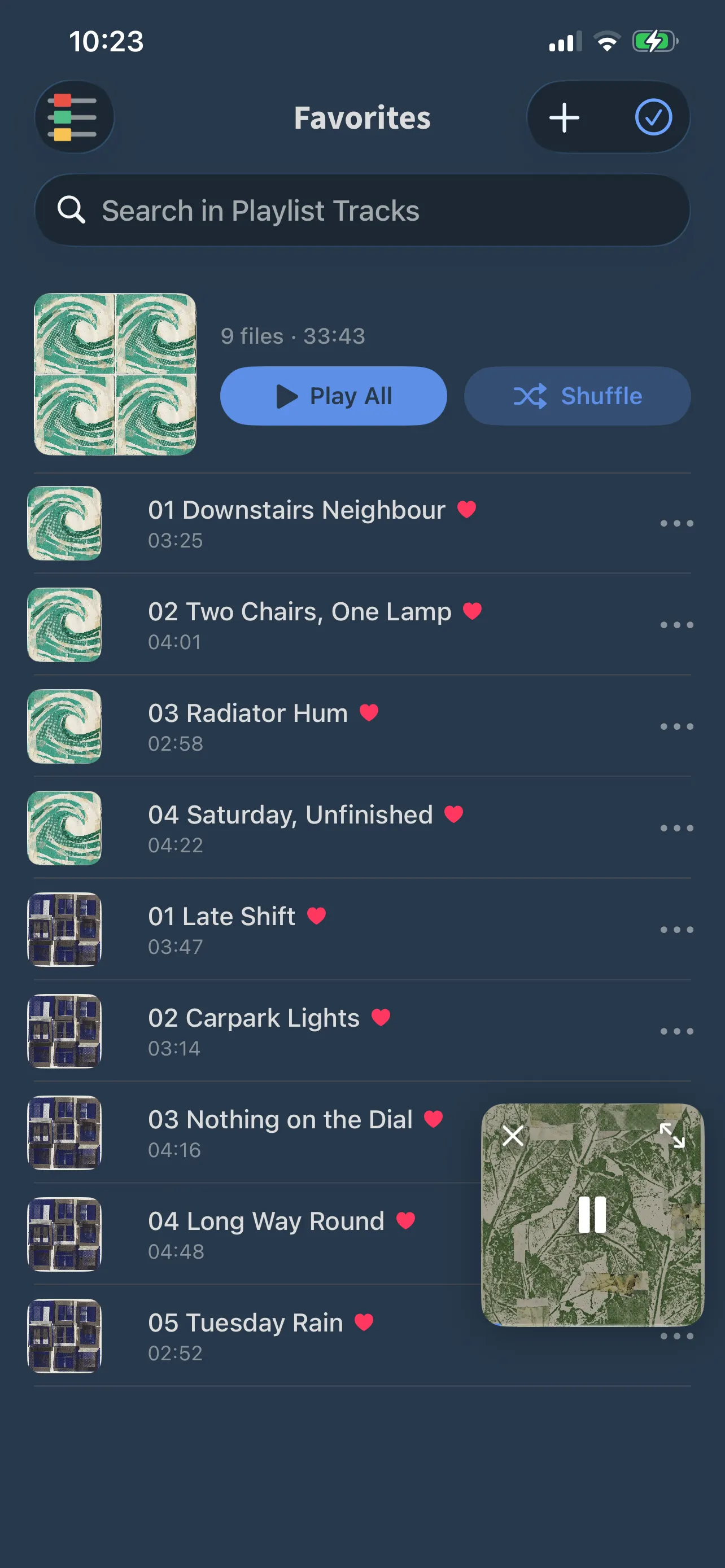
The Favorites list in FoxFM

Build it the way you listen

  • Create a list and land inside it, ready to add
  • Add from a file picker, or send files in from anywhere in your library
  • Drag rows into order without entering an edit mode first
  • Swipe a row to remove it or to favorite it

Lists that keep themselves

  • Favorites collects everything you have hearted, wherever you hearted it
  • Recently Played remembers what you have been through, and clears when you say so
  • Every list draws its own cover: a collage from the files inside it
  • Play or shuffle a whole list from its header

Housekeeping

  • Rename, duplicate or delete a list from its row
  • Sort your lists by name, by when you made them, or by how much is in them
  • Search your lists by name when there are more than a screenful

Questions

About playlists

How do I reorder a playlist?

Press and drag a row to where you want it. There is no edit mode to turn on first — it works straight away, except in Recently Played and while you are searching.

Where do Favorites come from?

Anything you heart anywhere in the app lands in Favorites, and swiping a row in a playlist can favorite it too.

Can I duplicate a playlist?

Yes. The row menu on each list offers Play, Shuffle, Rename, Duplicate and Delete.

Get FoxFM for iPhone and iPad.

Free on the App Store · iOS 16 or later