
Bring your files in

Four ways in. No cable.

From a computer on the same network, from the Files app, from Photos, or straight out of another app’s share menu.

Wi-Fi transfer
A web address, in any browser
Files
Multiple at once
Photos
No permission prompt
Share menu
From any app
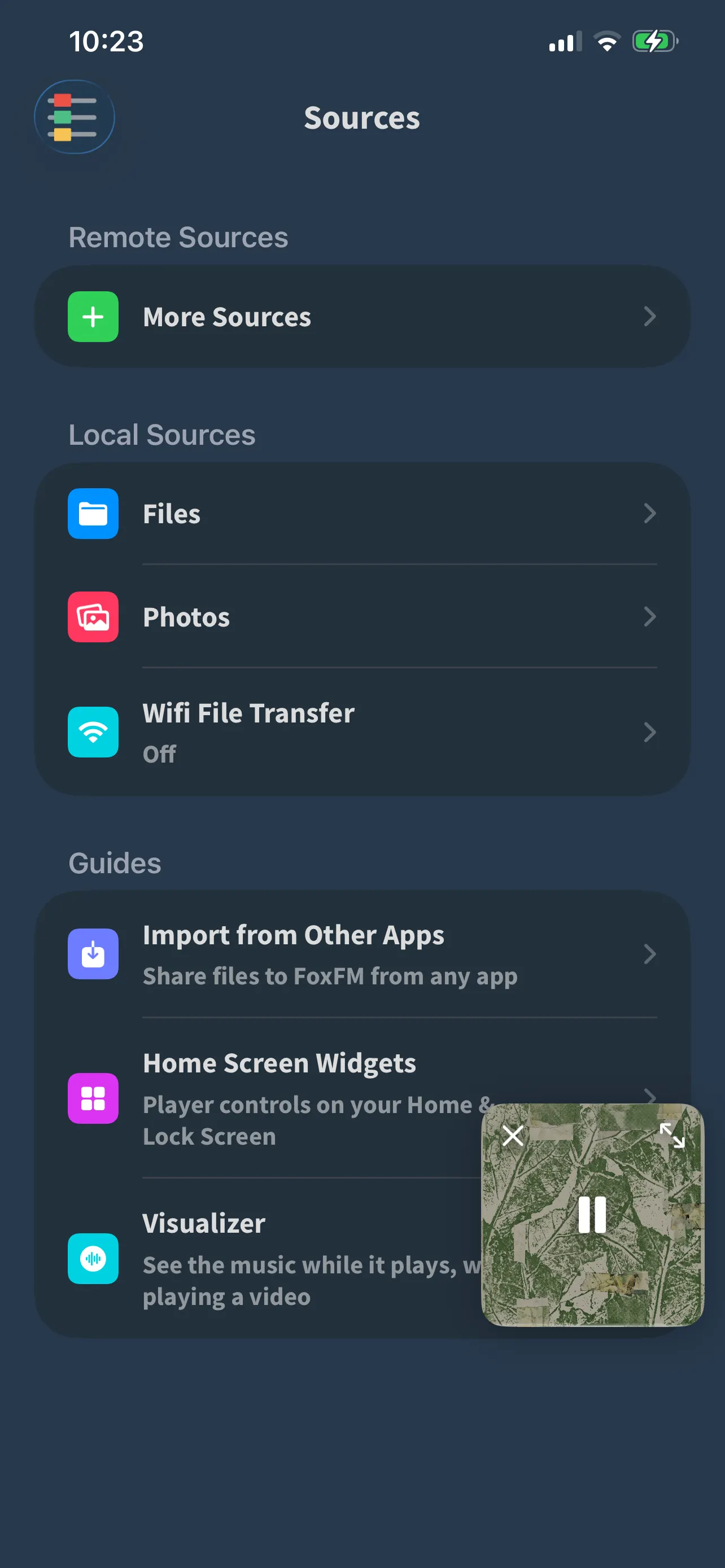
FoxFM’s Sources screen: Files, Photos and Wifi File Transfer, with the Guides section below

Wi-Fi File Transfer

FoxFM puts a small web page on your phone; your computer opens it and drops files in.

  • Two addresses are offered — a numeric one and a .local name — and both are one tap to copy
  • It runs only while you have it switched on, and the Sources row shows the address while it is running
  • Nothing leaves your network: the phone is the server, and there is no account anywhere in this

From the apps you already use

  • The Files app: pick several videos or tracks at once, and they are copied in and indexed
  • Photos: pick videos and images without a permission prompt, keeping their original names — and send them back to Photos later from the share sheet
  • The share menu: in any other app, choose FoxFM and the file is put aside for you immediately

Step by step

How to send files over Wi-Fi

  1. 1

    Make sure the phone and the computer are on the same Wi-Fi network.

  2. 2

    In FoxFM, open the menu and tap Sources, then Wifi File Transfer.

  3. 3

    Press Start. The sheet shows a web address — type it into the browser on your computer.

  4. 4

    Drop your files onto the page. They appear in FoxFM as they arrive.

  5. 5

    Press Stop when you are done; the address stops working straight away.

Sharing from another app: iOS rarely brings FoxFM to the front, so if nothing seems to happen, open FoxFM yourself — the file is already saved and the app will ask where to put it.

Questions

About getting files in

Do I need a cable or iTunes?

No. Wi-Fi File Transfer gives you a web address to open in any browser on the same network, and you drag files onto the page.

Is Wi-Fi transfer safe?

It runs only while you have it switched on, and only on your own network — your phone is the server and nothing is sent to us. Press Stop and the address stops answering.

I shared a file to FoxFM and nothing happened.

The file is saved. iOS rarely brings FoxFM to the front from another app’s share sheet — open FoxFM yourself and it will ask where you want the file put.

Can I get videos back out to Photos?

Yes. Use the share button on the file and choose Save Video or Save Image.

Get FoxFM for iPhone and iPad.

Free on the App Store · iOS 16 or later